

devCenter Customisation for the Boyum Solutions
Custom scripts, workflows, reports, dashboards and integrations for Beas Manufacturing, Produmex WMS and B1UP, where standard configuration stops, for SME manufacturers.
◆Exclusive Boyum Practice. India’s No.1 Customer-referred Boyum IT Partner.
Built for SME manufacturers who need more than standard.
Two situations where devCenter helps SME manufacturers with the Boyum Solutions on SAP Business One, deployed or about to be.
☞Which one sounds like your plant?
The Boyum Solutions are live, but some needs are not met
- Today
- Beas Manufacturing, Produmex WMS or B1UP is deployed and running, but specific operational needs go beyond the standard configuration: calculations or validations in production, picking or receiving steps in the warehouse, dashboards for management.
- What changes
- Custom enhancements that make the deployed solutions work the way your plant needs them to.
The Boyum Solutions are planned, and custom work is coming
- Today
- You are planning a Boyum Solutions implementation and already know that some processes, warehouse workflows or reports will need custom development beyond standard configuration.
- What changes
- Your custom needs go into the Business Blueprint and the solution architecture from the outset, not after go-live.
No ERP yet? devCenter works on SAP Business One. For a first ERP, our sister company MEIS ↓ (on this page) implements SAP Business One.
Five custom capabilities. One development team.
devCenter builds the custom scripts, workflows, reports, dashboards and integrations that extend Beas Manufacturing, Produmex WMS and B1UP beyond their standard configuration.
Custom scripts
Automate the calculations, validations and business rules your operation needs, where the standard configuration does not provide them.
- Calculations
- Business rules
- Event-triggered actions
Custom workflows
Approval routing, alerts and process enforcement that keep production and the warehouse running to your business rules.
- Approvals
- Alerts
- Warehouse task steps
Custom reports
The operational and management reports the standard reports do not provide, across production, the warehouse and SAP Business One.
- Production
- Warehouse
- Management
Custom dashboards
Operational visibility for management, production supervisors and warehouse teams through the working day.
- Management
- Shop floor
- Warehouse
Custom integrations
Connections to the external systems, applications and devices your plant depends on, without re-keying or manual transfers.
- APIs
- Applications
- Devices
Built on the Boyum Solutions for SAP Business One
Beas Manufacturing
Planning with APS (APS licence), factory data capture at the terminal, QC-inspection plans, and calculation schemas with post-calculation per work order.
Explore Beas Manufacturing →Produmex WMS
A warehouse management system for managing inventory, with a Beas integration.
Explore Produmex WMS →B1 Usability Package (B1UP)
An add-on for SAP Business One that lets consultants carry out configuration tasks that previously needed a developer, in modules switched on as needed.
Explore B1UP →Five steps. Process-governed development.
Every customisation is requirements-led, designed before it is built, tested before it goes live and supported afterwards. No unmanaged scope.
Requirements
Your custom needs are written down, with the As-Is and To-Be process models that govern all the development that follows.
On the way to live use
1 of 5 stepsNext: Business BlueprintActivities
- Requirements
- As-Is process
- To-Be process
Business Blueprint
Every custom requirement specified in functional and technical terms, with the acceptance criteria that confirm it works, signed off before development begins.
On the way to live use
2 of 5 stepsNext: Solution ArchitectingActivities
- Requirements list
- Functional specifications
- Technical approach per item
Solution Architecting
The technical design of every customisation, so each one is structurally sound and maintainable.
On the way to live use
3 of 5 stepsNext: Development & UATActivities
- Technical design
- Integration architecture
- Design sign-off
Development & UAT
Each customisation built to the blueprint and the design, then tested by your own users against the agreed acceptance criteria.
On the way to live use
4 of 5 stepsNext: Implementation & TrainingActivities
- Development
- Testing
- UAT sign-off per item
Implementation & Training
The approved customisations go live, and every user who runs, maintains or manages them is trained for their role.
On the way to live use
5 of 5 stepsNext: in use, and supportedActivities
- Production deployment
- Training per role
- Hand-holding
Steps 01–05. Where standard configuration stops.
smartStep, Excel to Intelligence, is the BPAS roadmap for SME manufacturers on SAP Business One: a maturity check and eight steps, each paying back before the next. devCenter works across steps 01 to 05, wherever the standard configuration of the Boyum Solutions stops.
Steps 1–4 · The digital core
- 01Digital coreFirst ERP: MEIS ↓ (on this page)
- 02Plan
- 03Make & control
- 04Cost & margins
Steps 5–6 · Control and visibility
- 05Store & trace
- 06SeemisBoost
Steps 7–8 · Connected and intelligent
- 07ConnectWith an MES specialist
- 08Predict
Three deliverables. Specified, tested, signed off.
Every devCenter engagement produces three deliverables that together make a complete, written down and supported customisation.
Your challenges, with As-Is and To-Be process models
Every custom need and challenge written down, with the As-Is and To-Be process models that govern the development, so each customisation is process-aligned, not technology-led.
Made in step 01 ↓ (on this page)A detailed Business Blueprint of every customisation
Each custom script, workflow, report, dashboard or integration specified: what it must do, how it will be built, and the acceptance criteria that confirm it works. Every item delivered was requested and approved.
Made in step 02 ↓ (on this page)Architecture, development, testing, go-live and training
The technical design of every customisation, development to the blueprint, testing, your users’ sign-off, deployment and training per role. Every customisation passes sign-off before it goes live.
Made in steps 03 to 05 ↓ (on this page)In a BPAS gap review you get a short list of what is costing your plant dates and money today, and the order to fix it in.
Exactly what your plant needs. At the end of devCenter, your Boyum Solutions do what your plant needs them to do: not approximately, and not with workarounds.
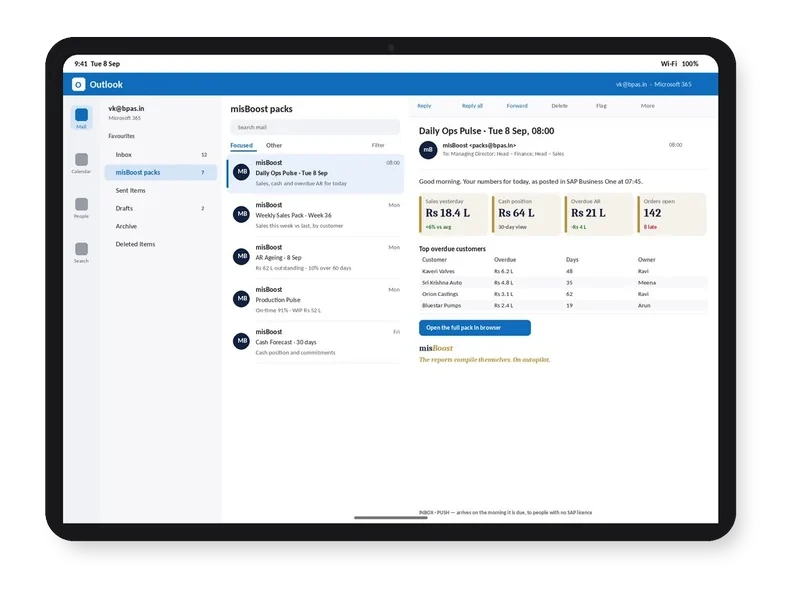
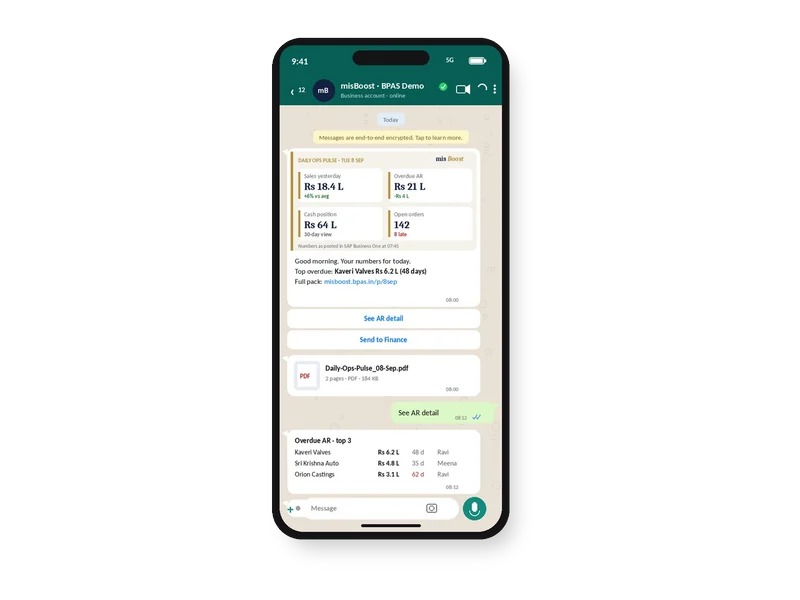
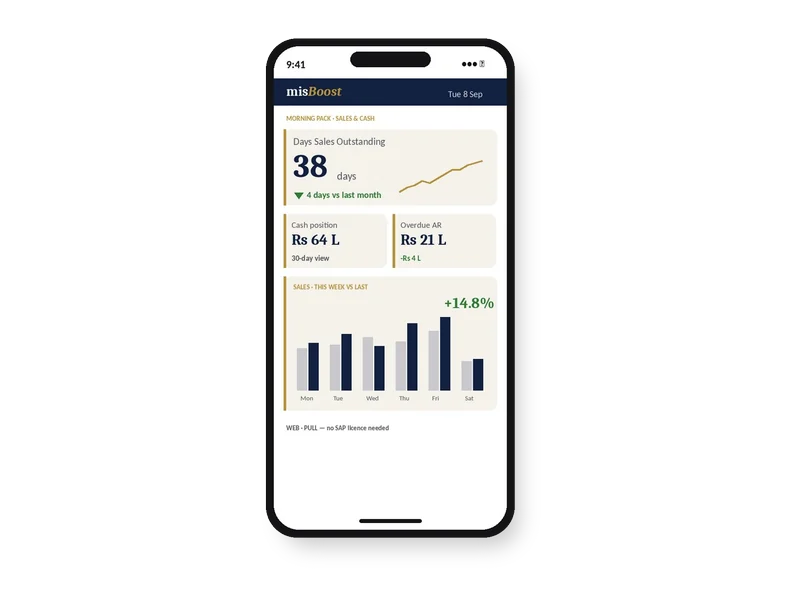
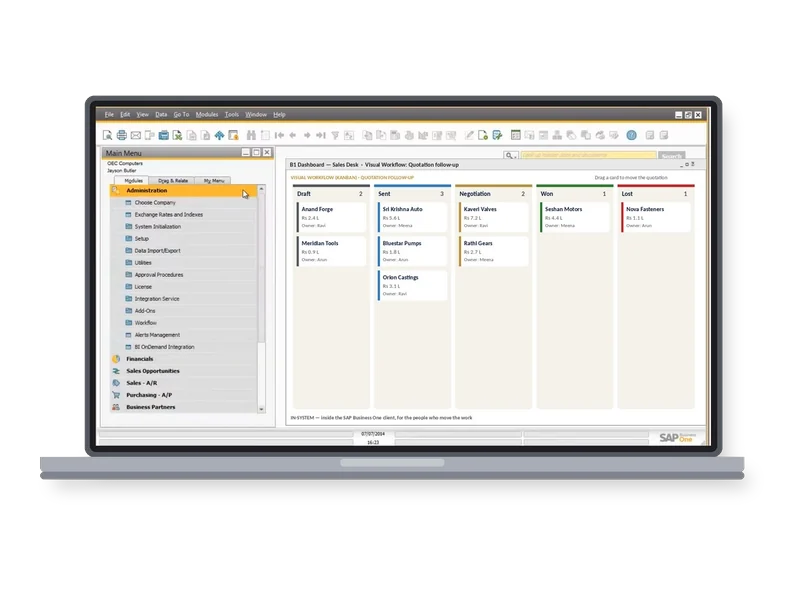
misBoost
A management layer for SAP Business One
235 boosters in ten domains. The packs build themselves from your SAP Business One data and arrive on their own, so nobody prepares or sends them. They can start on any SAP Business One plant from week one.
proBoost
BPAS Custom Libraries for SAP Business One
The second ViSA line alongside the seven services: pre-built libraries that configure straight into SAP Business One, one tuned to each set-up. You choose the boosters your plant needs.
- 313proBoostSAP Business One
- 409mfgBoostSAP Business One + Beas
- 409wmsBoostSAP Business One + Produmex
- 529scmBoostSAP Business One + Beas + Produmex
Custom work that stays sound. And stays supported.
Benchmarked to the APQC PCF®
Every custom workflow, script or report is designed and checked against the APQC Process Classification Framework®, so it reinforces a process in line with international best practice. Where a better process exists, you choose: automate the current process, or redesign it to the best-practice standard.
Kept current through maxValue
Every devCenter engagement connects to maxValue →, so the customisations are maintained, evolved and extended in each support cycle as the Boyum Solutions are updated and your processes change, without a new project each time.
Closing the gap
- Out of the boxThe standard configuration of Beas Manufacturing, Produmex WMS and B1UP.
- devCenterScripts, workflows, reports, dashboards and integrations, built to the blueprint.
- What your plant needsThe solutions do what the plant needs, without workarounds.
After toolDeploy, before maxValue. For a reason.
Deploys the Boyum Solutions, process first. devCenter can also join at the planning stage, so custom needs go into the blueprint.
Builds what standard configuration cannot: scripts, workflows, reports, dashboards and integrations.
Maintains and extends the customisations in every support cycle after go-live.
- 00gapScan
- 01procEnact
- 02toolDeploy
- 03devCenter
- 04maxValue
- 05costAbsorb
- 06aiEnable
Custom work that fits the process. Each customisation reinforces a process; it does not work around one.
Not ready to talk yet? Sharpen your power users.
-
Newsletter · For your power users

For the internal champions and power users
One SAP Business One practice, one Boyum practice, a ten-minute quick win and stories from factories like yours, for the people who keep the system healthy.
- How often
- Third Wednesday of every month
- Format
- Practices you can apply in ten minutes
No ERP yet? Start with MEIS
For SME manufacturers putting in their first ERP, MEIS implements SAP Business One.
Live in weeks, not months.
Visit meis.in ↗ (opens in a new tab)- Still on spreadsheetsNo ERP yet
- 1MEIS implements SAP Business OneYour manufacturing ERP, live
- 2Add the Boyum Solutions
- Beas Manufacturing
- B1UP
- B1 Print & Delivery
- Produmex WMS
- Produmex Scan
- Perfion PIM
- 3Choose your ViSA servicesSeven services, from gapScan to aiEnable
ViSA implements, customises and supports the Boyum Solutions on top of your SAP Business One, with SAP Business One certified consultants doing the work.
devCenter is one of seven. Here are the other six.
Each service is a complete engagement on its own, so you can choose the ones your plant needs. Taken in order, the seven cover a manufacturing operation from the maturity check to AI on your own plant data, and that is the route we advise.