

costAbsorb Know what it costs to make
Absorption costing in Beas Manufacturing for SME manufacturers: labour, material and overheads carried into product cost, calculated by the system.
◆Exclusive Boyum Practice. India’s No.1 Customer-referred Boyum IT Partner.
Three situations. Quoting blind.
For SME manufacturers on SAP Business One who make more than a handful of things, and who suspect, correctly, that they do not really know what any of them cost.
☞Which one sounds like your plant?
Your costing lives in a spreadsheet
- Today
- One person maintains it and rebuilds it whenever a quote is urgent. When they are on leave, quoting slows down, and when they leave, the method leaves with them.
- What changes
- The costing lives in Beas Manufacturing, and your own people run the cost calculation.
Your overheads are a percentage
- Today
- A single blanket rate, applied to everything. The simple product subsidises the complicated one, and you have no idea by how much, or which customer benefits.
- What changes
- Labour and machine costs posted at resource and operator cost rates; indirect cost centres spread to direct ones by distribution keys, then carried into products.
Prices move and you find out later
- Today
- A large product line, volatile input prices, and a standard cost last reviewed at the start of the financial year. You discover the truth at the year end, when it is a fact, not a decision.
- What changes
- Actual against planned cost on every work order, and recommended cost rates for production resources from Business Performance.
Not on Beas yet? costAbsorb needs Beas Manufacturing running; toolDeploy → deploys it. For a first ERP, our sister company MEIS ↓ (on this page) implements SAP Business One.
A margin you cannot defend is not a margin. It is a hope.
You quote, discount and decide which product line to push and which customer to keep, all against the number. If the number is an estimate, every one of those decisions is an estimate too.
TodayWith costAbsorb
- Today: Labour rate set in a previous yearWith costAbsorb: Cost rates on every resource, and recommended cost rates from Business Performance
- Today: Overheads as one blanket percentageWith costAbsorb: Overheads spread to direct cost centres by distribution keys, then carried into products
- Today: Standard cost, rarely revisitedWith costAbsorb: Actual against planned cost on every work order
- Today: The costing spreadsheet only one person can runWith costAbsorb: Your own people running the cost calculation
The number becomes real. It is calculated by the system, not rebuilt whenever somebody has an afternoon to spare.
Four Beas costing features. One cost you can defend.
costAbsorb is not a report you switch on. It is a costing model built on your routings, resources and overheads, using the costing in Beas Manufacturing, before, during and after each work order.
-
01
Before production
Quotation or sales order → cost estimate Precalculation
Cost estimates linked to quotations and sales orders, using a calculation schema.
Part of the Basic or the Configurator licence.
Precalculation in Beas → -
02
The rates
Resource cost rates; overhead in per cent Calculation Schema and Cost Rates
Resources carry marginal and full cost rates. Calculation schemas add indirect material costs (by material group) and production overhead in per cent, and define which WIP accounts are posted.
Calculation Schema and Cost Rates in Beas → -
03
The overheads
Indirect → direct cost centres → product Absorption Costing
Time receipts link production to direct cost centres and post labour and machine costs at resource and operator cost rates; indirect cost centres are spread to them by distribution keys and carried into products.
Needs the Beas Cost Accounting extended / Business Performance licence.
Absorption Costing in Beas → -
04
After production
Planned against accrued Post-Calculation
Post-calculation per work order calculates accrued and planned costs, marginal and full costs, with a plan/target comparison.
Post-Calculation in Beas →
From a cost element to a cost that calculates itself.
The order is fixed: you cannot calculate a cost before you have defined what a cost is made of.
Define Cost Elements
What a cost is made of is defined once, before anything is calculated: labour, material and overheads, linked to your chart of accounts.
From cost element to cost
1 of 5 phasesNext: Configure Overhead RulesWhat it covers
- Labour
- Material
- Overheads
Configure Overhead Rules
Cost rates are set on your real resources, and overheads through the calculation schema and cost centres.
From cost element to cost
2 of 5 phasesNext: Create BOM + RoutingWhat it covers
- Cost rates per resource
- Material and production overhead
- Cost centres
Create BOM + Routing
The bill of materials and the routing carry the materials and the resources each operation runs on.
From cost element to cost
3 of 5 phasesNext: Run Cost CalculationWhat it covers
- Bill of materials
- Routing
- Resources
Run Cost Calculation
The cost calculation runs in the system, per unit, split into materials, labour and overheads, not in somebody’s spreadsheet.
From cost element to cost
4 of 5 phasesNext: Execute Work OrderWhat it covers
- Cost per unit
- Materials
- Labour and overheads
Execute Work Order
Work orders run on the shop floor; material issues and time receipts carry actual cost into each order, and post-calculation compares it with plan.
From cost element to cost
5 of 5 phasesNext: a cost that calculates itselfWhat it covers
- Work order
- Time receipts
- Post-calculation
Step 04 · Cost & margins. Delivered by costAbsorb.
smartStep, Excel to Intelligence, is the BPAS roadmap for SME manufacturers on SAP Business One: a maturity check and eight steps, each paying back before the next. costAbsorb delivers step 04, Cost & margins, on a running Beas Manufacturing.
Steps 1–4 · The digital core
- 01Digital coreFirst ERP: MEIS ↓ (on this page)
- 02Plan
- 03Make & control
- 04Cost & marginscostAbsorb
Steps 5–6 · Control and visibility
- 05Store & trace
- 06SeemisBoost
Steps 7–8 · Connected and intelligent
- 07ConnectWith an MES specialist
- 08Predict
Scan, deploy, cost. In that order.
Four parts, from an honest look at your master data to the number in front of the people who decide.
-
0101
The starting scan
Costing is built on your routings, resources and overheads, so it starts with a scan.
- Your process and tool-usage gaps, written down
- As-Is and To-Be process models, benchmarked against the APQC PCF®
- An honest look at whether your bills of materials and routings can carry a cost at all
-
0202
The solution
Beas Manufacturing, with the costing set up.
- Cost elements: labour, material, overheads
- Cost rates on resources, overheads in calculation schemas
- Bills of materials and routings, with the resources each operation runs on
-
0303
Your team, enabled
The people who price against the number can run it.
- End-user training, hand-holding and mentoring
- Your own people running the cost calculation, not us
- Change management, so the spreadsheet actually gets retired
-
0404
Seeing the answer
The number in front of the people who decide.
- Reports and dashboards for informed decisions
- Cost per unit, split into materials, labour and overheads
- Kept accurate afterwards through maxValue
In a BPAS gap review you get a short list of what is costing your plant dates and money today, and the order to fix it in.
misBoost
A management layer for SAP Business One
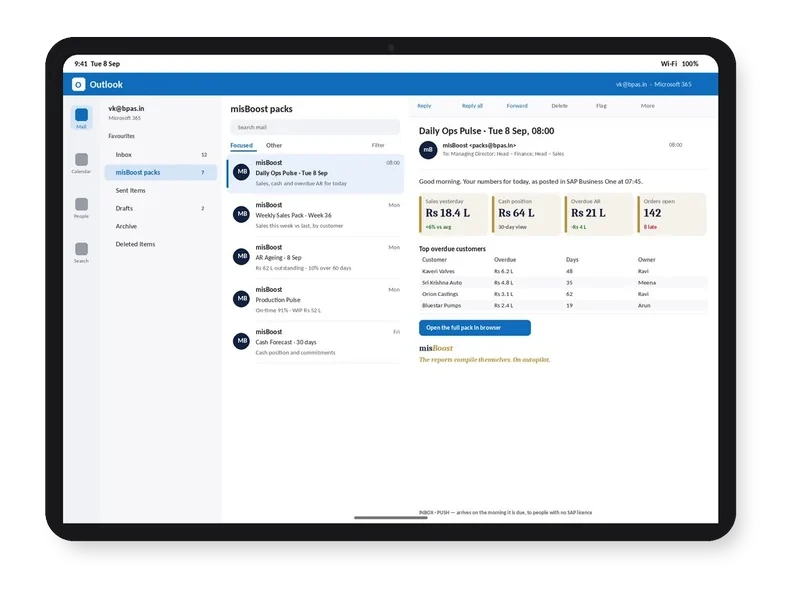
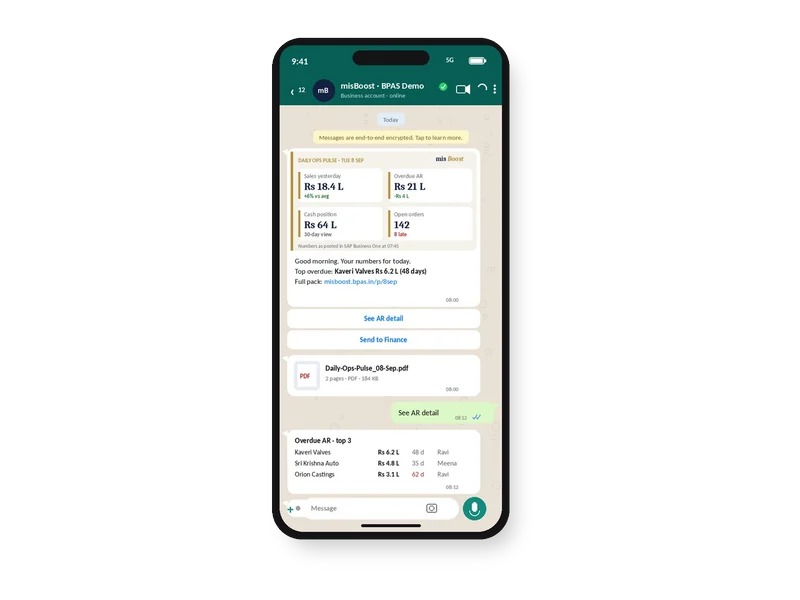
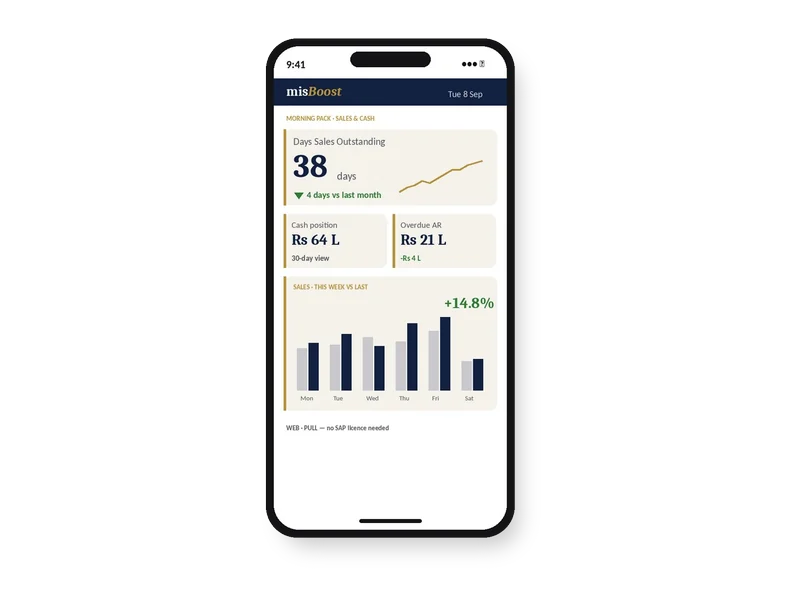
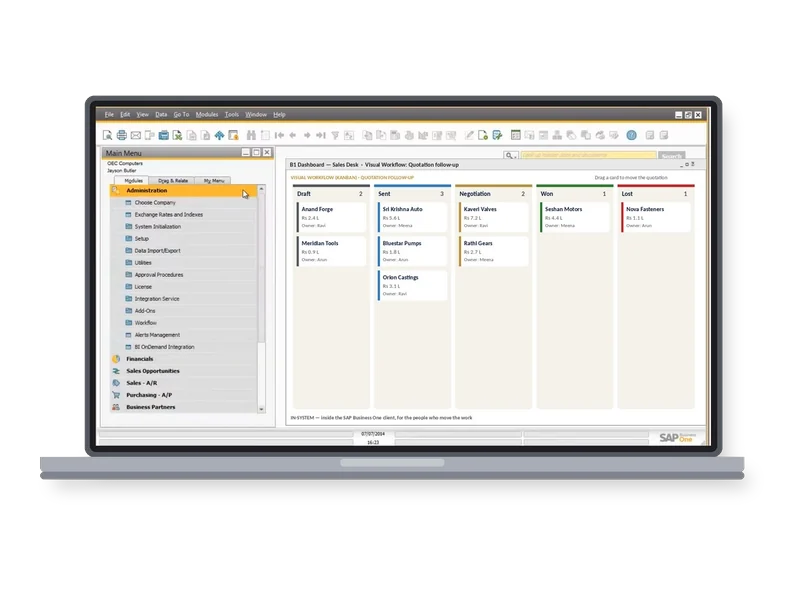
235 boosters in ten domains. The packs build themselves from your SAP Business One data and arrive on their own, so nobody prepares or sends them. They can start on any SAP Business One plant from week one.
proBoost
BPAS Custom Libraries for SAP Business One
The second ViSA line alongside the seven services: pre-built libraries that configure straight into SAP Business One, one tuned to each set-up. You choose the boosters your plant needs.
- 313proBoostSAP Business One
- 409mfgBoostSAP Business One + Beas
- 409wmsBoostSAP Business One + Produmex
- 529scmBoostSAP Business One + Beas + Produmex
One product. Costed properly.
Pick a product, ideally one you have always suspected you price wrong. We build the costing model for it and show you the number.
How we start
- You pick the productThe one that keeps you up: where the margin never quite matches what the year end says.
- We build the modelCost elements, overhead rules, bill of materials and routing, on your master data, demonstrated back to you.
- Then comparePut the number next to what you have been quoting. That comparison is the whole pitch.
Cost a product whose bill of materials is wrong
Absorption costing is arithmetic on your master data. If the bill of materials says four bolts when the operator fits six, the system produces a precise, confident, wrong number.
Tell you when the master data will not bear the weight
If the starting scan finds that your bills of materials and routings cannot carry a cost, we tell you, and fixing them becomes part of the project. Less exciting than a costing dashboard, and the only order in which this works.
On a running Beas. For a reason.
Support for the Boyum Solutions, with planned value-adds, from the day after go-live.
Absorption costing in Beas Manufacturing, on stock held and on goods sold. Needs Beas Manufacturing running.
AI inside SAP Business One, once there is real manufacturing history to learn from.
- 00gapScan
- 01procEnact
- 02toolDeploy
- 03devCenter
- 04maxValue
- 05costAbsorb
- 06aiEnable
Know what it costs. Then decide what to charge.
Not ready to talk yet? Know the cost while the job runs.
-
Webinar · Session 06 · For owners, CXOs and plant headsThird Thursday of every month
Know the cost while the job runs
smartStep webinars · Session 06
The session on smartStep step 04, Cost & margins, the step costAbsorb delivers. It stands on its own, like every session in the series.
- Format
- 40 minutes: a 30-minute session and 10 minutes of live Q&A · free, online
No ERP yet? Start with MEIS

For SME manufacturers putting in their first ERP, MEIS implements SAP Business One.
Live in weeks, not months.
Visit meis.in ↗ (opens in a new tab)- Still on spreadsheetsNo ERP yet
- 1MEIS implements SAP Business OneYour manufacturing ERP, live
- 2Add the Boyum Solutions
- Beas Manufacturing
- B1UP
- B1 Print & Delivery
- Produmex WMS
- Produmex Scan
- Perfion PIM
- 3Choose your ViSA servicesSeven services, from gapScan to aiEnable
ViSA implements, customises and supports the Boyum Solutions on top of your SAP Business One, with SAP Business One certified consultants doing the work.
costAbsorb is one of seven. Here are the other six.
Each service is a complete engagement on its own, so you can choose the ones your plant needs. Taken in order, the seven cover a manufacturing operation from the maturity check to AI on your own plant data, and that is the route we advise.