

toolDeploy Process-driven solution deployment
The Boyum Solutions deployed on your SAP Business One, process first: five phases from initiation to go-live, for SME manufacturers.
◆Exclusive Boyum Practice. India’s No.1 Customer-referred Boyum IT Partner.
Built for SME manufacturers ready to extend SAP Business One.
Three situations where toolDeploy helps SME manufacturers already on SAP Business One, or adding the Boyum Solutions to it.
☞Which one sounds like your plant?
SAP Business One is live, and manufacturing needs more
- Today
- SAP Business One is your ERP backbone, and you are ready to extend it with a certified manufacturing, warehouse or usability solution.
- What changes
- The solution is deployed by people who know manufacturing processes, not only the software, so it fits the plant from the start.
Manufacturing tools sit outside the system
- Today
- Separate MRP spreadsheets, standalone scheduling and disconnected quality tools run alongside SAP Business One. Each works in isolation, so data has to be reconciled and there is no single source of truth.
- What changes
- toolDeploy brings them together in one integrated set of Boyum Solutions within your SAP Business One database.
Production runs, but management cannot see it
- Today
- Work in progress is tracked on a whiteboard, OEE is estimated rather than measured, and product costs are worked out in spreadsheets days after the production order closes.
- What changes
- Factory data capture at the terminal, with the reports and dashboards that turn production activity into information leadership can decide on.
No ERP yet? toolDeploy works on SAP Business One. For a first ERP, our sister company MEIS ↓ (on this page) implements SAP Business One.
Three Boyum Solutions. One integrated system.
toolDeploy deploys the Boyum Solutions for manufacturing, warehousing and usability within your SAP Business One, aligned to the way your plant manufactures, plans and despatches.
Beas Manufacturing
Planning with APS (APS licence), factory data capture at the terminal, QC-inspection plans, and calculation schemas with post-calculation per work order.
Explore Beas Manufacturing →Produmex WMS
A warehouse management system for managing inventory, with a Beas integration.
Explore Produmex WMS →B1 Usability Package (B1UP)
An add-on for SAP Business One that lets consultants carry out configuration tasks that previously needed a developer, in modules switched on as needed.
Explore B1UP →Five phases. One complete deployment.
Each phase has a defined scope and builds on the one before, from forming the right team to a process-aligned solution running live in your SAP Business One.
Do Initiation
Set up the governance, the team and the shared expectations that carry the project through all five phases to go-live.
On the way to go-live
1 of 5 phasesNext: Create BBPActivities
- Team formation
- Setting expectations
- Project kick-off
Create BBP
The Business Blueprint (BBP): how your plant manufactures today, how it should run with the solution, and the exact reports and dashboard formats it needs.
On the way to go-live
2 of 5 phasesNext: Articulate SolutionActivities
- As-Is process
- To-Be process
- Report formats
Articulate Solution
The Business Blueprint becomes a configured, integrated Boyum Solution: best practices applied, the tool deployed and the integrations set up.
On the way to go-live
3 of 5 phasesNext: Conduct UATActivities
- Best practices
- Tool deployment
- Integrations
Conduct UAT
The configured solution is tested against real manufacturing scenarios, so every process, report and integration works as the blueprint specified, and users are ready before go-live.
On the way to go-live
4 of 5 phasesNext: Final Go-LiveActivities
- Test cases
- User training
- Scenario testing
Final Go-Live
The final data upload, the cut-over and go-live, with BPAS supporting your users as the plant goes live.
On the way to go-live
5 of 5 phasesNext: your plant is liveActivities
- Data upload
- Final cut-over
- Go-live
Steps 01, 02, 03 and 05. The Boyum Solutions, deployed.
smartStep, Excel to Intelligence, is the BPAS roadmap for SME manufacturers on SAP Business One: a maturity check and eight steps, each paying back before the next. toolDeploy deploys the Boyum Solution behind four of them.
Steps 1–4 · The digital core
- 01Digital coreB1UPFirst ERP: MEIS ↓ (on this page)
- 02PlanBeas Manufacturing
- 03Make & controlBeas Manufacturing
- 04Cost & margins
Steps 5–6 · Control and visibility
- 05Store & traceProdumex WMS
- 06SeemisBoost
Steps 7–8 · Connected and intelligent
- 07ConnectWith an MES specialist
- 08Predict
Three deliverables. Each traced to the blueprint.
At the end of toolDeploy you hold three deliverables, each addressing a different side of the value your plant gets from SAP Business One.
A solution for the challenges and bottlenecks in your manufacturing
A deployed, configured and tested Boyum Solution that addresses the challenges and bottlenecks found in the Business Blueprint. Each part traces to a requirement written in the blueprint.
Built in phase 03 ↓ (on this page)Solution architecture, licences and integrated deployment
The combination of Boyum modules your plant needs and how each is configured; the licences you need, no more and no fewer; and the installation, configuration and integration of every component within your SAP Business One, tested against the blueprint.
Built in phase 03 ↓ (on this page)The reports and dashboards for manufacturing decisions
The reports and dashboards specified in the Business Blueprint, built and validated in your live SAP Business One, for production managers and leadership from the day of go-live.
Specified in phase 02 ↓ (on this page)In a BPAS gap review you get a short list of what is costing your plant dates and money today, and the order to fix it in.
One integrated system. At the end of toolDeploy your plant runs on one system, aligned to your processes and visible from the shop floor to the boardroom.
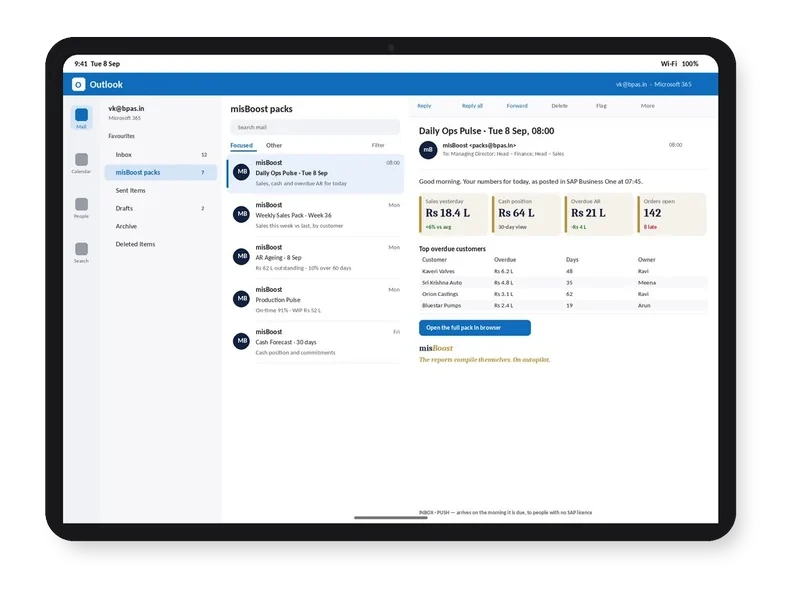
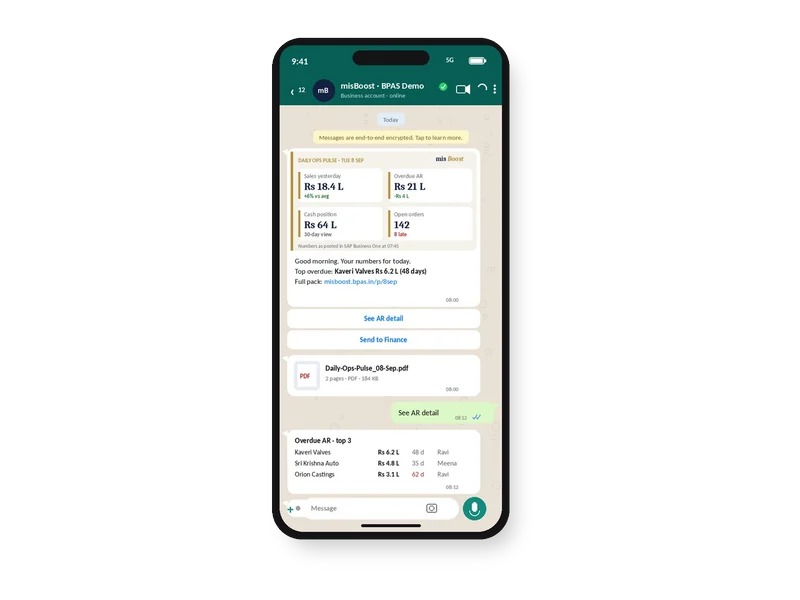
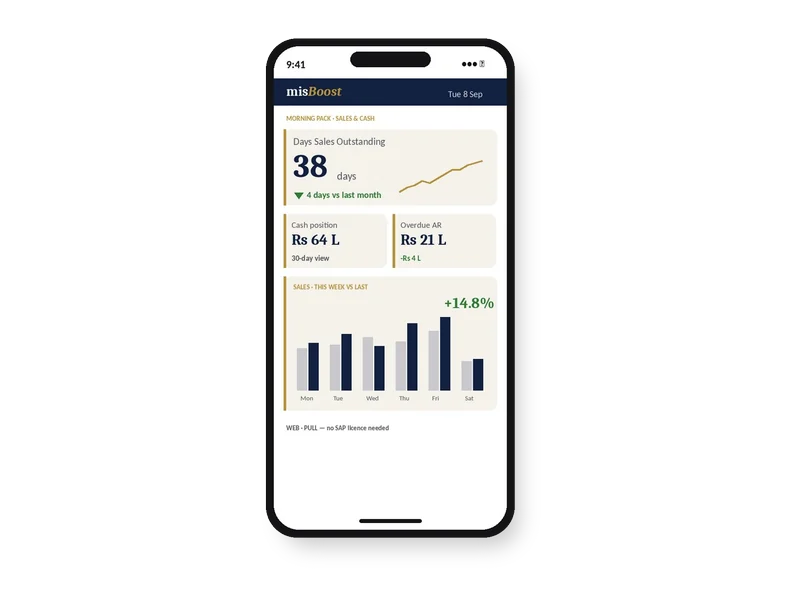
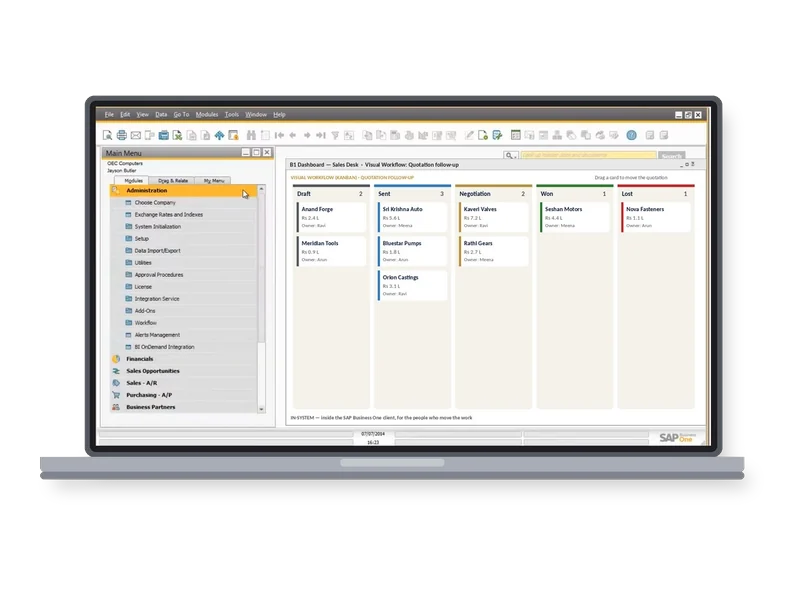
misBoost
A management layer for SAP Business One
235 boosters in ten domains. The packs build themselves from your SAP Business One data and arrive on their own, so nobody prepares or sends them. They can start on any SAP Business One plant from week one.
proBoost
BPAS Custom Libraries for SAP Business One
The second ViSA line alongside the seven services: pre-built libraries that configure straight into SAP Business One, one tuned to each set-up. You choose the boosters your plant needs.
- 313proBoostSAP Business One
- 409mfgBoostSAP Business One + Beas
- 409wmsBoostSAP Business One + Produmex
- 529scmBoostSAP Business One + Beas + Produmex
More than a configured system. A plant that uses it.
World manufacturing best practices
Every configuration decision is measured against world manufacturing best practices. Where your processes already match, the solution reinforces and automates them; where they differ, the To-Be design in the blueprint closes the gap.
Adoption managed with the ADKAR® model
Adoption is planned, not assumed. Everyone the deployment affects understands why the change is happening, wants it to succeed, knows how to work in the new system, can show it, and is supported in keeping it.
ADKAR®, applied to every toolDeploy engagement
- AAwarenessEvery team member understands why the deployment is happening and what will change.
- DDesireActive participation is fostered, not enforced.
- KKnowledgeRole-specific training, so every user knows how to work in the new system.
- AAbilityUser acceptance and scenario testing confirm the capability before go-live.
- RReinforcementHand-holding and mentoring after go-live sustain the adoption.
After procEnact, before devCenter. For a reason.
Where procEnact has run, its To-Be process models feed the Business Blueprint. Advised before toolDeploy, not required.
Deploys the Boyum Solutions on your SAP Business One, process first, from initiation to go-live.
Where standard configuration stops, devCenter customises Beas Manufacturing, Produmex WMS and B1UP.
- 00gapScan
- 01procEnact
- 02toolDeploy
- 03devCenter
- 04maxValue
- 05costAbsorb
- 06aiEnable
Process first, then the software. The Business Blueprint sets what the software must do for the plant.
Not ready to talk yet? See the core steps first-hand.
-
Webinars · Sessions 03 to 07 · For owners, CXOs and plant headsThird Thursday of every month
The core steps
smartStep webinars · Sessions 03 to 07
Five sessions on smartStep steps 01 to 05, the core of the roadmap. Each stands on its own, like every session in the series.
- 03One system of record→
- 04Find the shortage before the line does→
- 05The shift, live→
- 06Know the cost while the job runs→
- 07Trust your stock→
- Format
- 40 minutes each: a 30-minute session and 10 minutes of live Q&A · free, online
No ERP yet? Start with MEIS
For SME manufacturers putting in their first ERP, MEIS implements SAP Business One.
Live in weeks, not months.
Visit meis.in ↗ (opens in a new tab)- Still on spreadsheetsNo ERP yet
- 1MEIS implements SAP Business OneYour manufacturing ERP, live
- 2Add the Boyum Solutions
- Beas Manufacturing
- B1UP
- B1 Print & Delivery
- Produmex WMS
- Produmex Scan
- Perfion PIM
- 3Choose your ViSA servicesSeven services, from gapScan to aiEnable
ViSA implements, customises and supports the Boyum Solutions on top of your SAP Business One, with SAP Business One certified consultants doing the work.
toolDeploy is one of seven. Here are the other six.
Each service is a complete engagement on its own, so you can choose the ones your plant needs. Taken in order, the seven cover a manufacturing operation from the maturity check to AI on your own plant data, and that is the route we advise.