 Boyum Solutions
Boyum IT Solutions for SAP Business One and Microsoft Dynamics 365 Business Central
For SME manufacturers: choose your ERP, then the gap you want to close. Every Boyum solution here works with the ERP you already run.
- SAP Certified for SAP Business One
- Microsoft AppSource-approved for Business Central
- 10 Boyum IT solutions
- 2 ERPs, one Boyum portfolio
- 16 SAP Business One module guides
- 16 Business Central module guides
After the solution: services and management numbers
Two BPAS offers that build on the Boyum solutions for SAP Business One.
For SAP Business One onlyBPAS ViSA Services for SAP Business One
Seven services around the Boyum solutions on your SAP Business One, from the first maturity check to AI inside SAP Business One.
- Process first
- From the day after go-live
- Locate gapScan A maturity check and gap discovery: an as-is score for every step, and a clear next move.→
- Align procEnact Strategy first, then the process, then the software.→
- Deploy toolDeploy Implements the Boyum Solutions on your existing SAP Business One, process-first.→
- Extend devCenter Customises Beas Manufacturing, Produmex WMS and B1UP where standard configuration stops.→
- Support maxValue Support in measured cycles, from the day after go-live.→
- Cost costAbsorb Absorption costing in Beas Manufacturing, on stock held and on goods sold.→
- Intelligence aiEnable AI inside SAP Business One, once there is real manufacturing history to learn from.→
misBoost
A management layer for SAP Business One
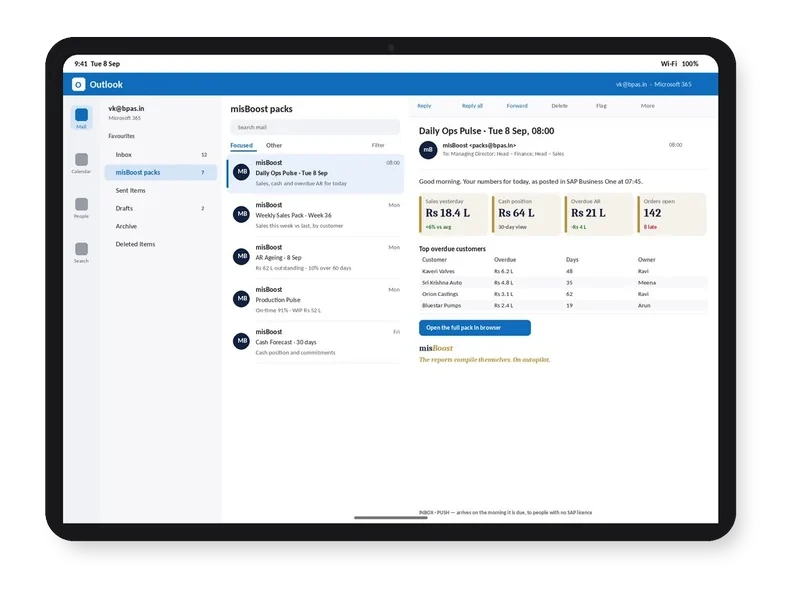
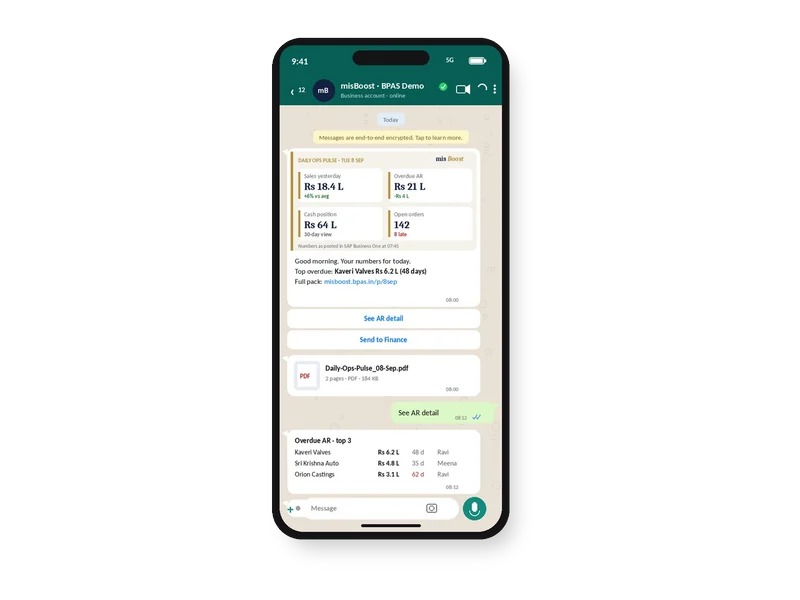
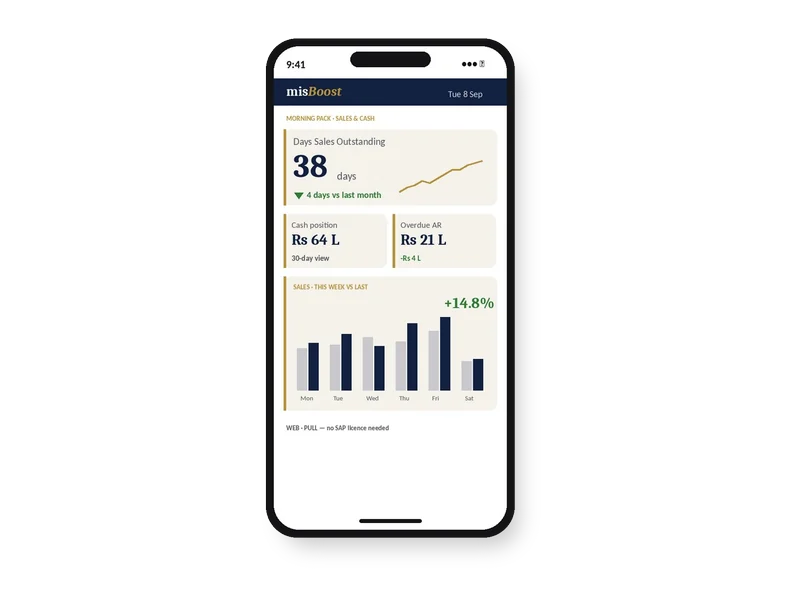
Management numbers from your SAP Business One, sent on autopilot
The packs build themselves from your SAP Business One data and arrive on their own, so nobody prepares or sends them.
Work on the Boyum solutions for SAP Business One before you decide
 The world's first Boyum Partner Center of Excellence. Spanning the entire Boyum Solutions portfolio — SAP Business One, B1UP, Beas Manufacturing, and Produmex WMS & Scan. Hosted in the cloud, available for evaluation and proof-of-concept work. See it to believe it — get convinced by working on it. Try Beas first in the PACE sandbox→
Two guide libraries, one route to every answer
Module guides explain each ERP, module by module. Feature guides explain each Boyum solution, feature by feature. Every module and every feature has one guide, with its core concepts, best practices and vocabulary on one page.
-
Solutions
Both ERPs and every Boyum solution.
You are here -
ERP or solution page
One ERP and its modules, or one Boyum solution and its features.
-
Module or feature guide
How one module or feature works.
-
Three parts
Core concepts, best practices and vocabulary, in every guide.
- Best practices
- Vocabulary
- Core concepts
One library per ERP: 16 modules, one guide for each.
SAP Business One
one guide each
-
Administration guide for SAP Business One
-
Financials guide for SAP Business One
-
CRM guide for SAP Business One
-
Opportunities guide for SAP Business One
-
Sales – A/R guide for SAP Business One
-
Purchasing – A/P guide for SAP Business One
-
Business Partners guide for SAP Business One
-
Banking guide for SAP Business One
-
Inventory guide for SAP Business One
-
Resources guide for SAP Business One
-
Production guide for SAP Business One
-
MRP guide for SAP Business One
-
Service guide for SAP Business One
-
Human Resources guide for SAP Business One
-
Project Management guide for SAP Business One
-
Reports guide for SAP Business One
Microsoft Dynamics 365 Business Central
one guide each
-
Finance guide for Business Central
-
Sales guide for Business Central
-
Purchasing guide for Business Central
-
Inventory guide for Business Central
-
Warehouse Management guide for Business Central
-
Fixed Assets guide for Business Central
-
Planning guide for Business Central
-
Assembly Management guide for Business Central
-
Manufacturing guide for Business Central
-
Project Management guide for Business Central
-
Resources guide for Business Central
-
Service Management guide for Business Central
-
Relationship Management guide for Business Central
-
Human Resources guide for Business Central
-
India Localisation guide for Business Central
-
Reporting & Analytics guide for Business Central
One guide per feature, for every Boyum solution on both ERPs.
SAP Business One
5 solutions · SAP Certified-
- Capacity Planning, APS feature guide→
- MRP Wizard and MRP2 feature guide→
- Automatic optimization feature guide→
- Factory data capture
-
- Function Buttons
- Universal Functions
- B1 Search
- Kanban Boards
-
- Report Actions
- Mass delivery
- Conditional Action
- PDF protection
-
- Organizational Structure
- Multi-Picking Flow
- Cycle Count
- Container Management
-
- Inventory Transactions
- Issue For Production
- Sales Return
- Serial Managed items
Microsoft Dynamics 365 Business Central
4 solutions · Microsoft AppSource-approved-
- Finite capacity scheduling
- Simulations
- Sequence-dependent setup times
- Production line scheduling
-
- Production Order View
- Capacity View
- Consider queue time
- Consider send-ahead time
-
- Job View
- Resource View
- Working with links
- Split job planning lines
-
- Report Pack
- FORNAV Email Template
- ForNAV Document Archive
- Report Settings
-
- Item Creator
- Translations
- Import Wizard
- Supplier Portal
One guide for every feature
Each solution page lists all its features. Every feature gets one guide, with its core concepts, best practices, vocabulary and questions on one page.
- Core concepts
- Best practices
- Vocabulary
- Questions