BPAS

aiEnable · Domain 03

Smart Inventory Forecast what is forecastable

AI for SAP Business One stock, for SME manufacturers: 17 services in three stages, and an answer on which items a forecast can help and which should stay on a min/max rule.

Exclusive Boyum Practice. India’s No.1 Customer-referred Boyum IT Partner.

The six aiEnable domains, with Smart Inventory lit: 4 services at Basic, 11 at Essential, 17 at ProfessionalDomain 01: Sales Intelligence01Domain 02: Agentic Procurement02Domain 03: Smart Inventory, this page03Domain 04: Intelligent Production04Domain 05: Hyper-efficient Warehouse05Domain 06: Strategic Finance06DOMAIN 0317SERVICES
  • Basic 4
  • Essential 11
  • Professional 17
Is Smart Inventory right for you?

Three stockrooms. Where the cash is tied up.

The return here is cash, not efficiency. Every rupee of stock you did not need to hold is a rupee you did not need to borrow.

Situation 01

Thousands of items, most of them slow

Today
Nobody can tell you which items deserve a forecast and which deserve a min/max rule.
What changes
A forecastability score on every item: which ones a model can beat the rule on, and which should keep the rule.
See the 17 services (on this page)
Situation 02

Several warehouses, one shortage

Today
The item is out of stock in one warehouse and sitting unused in another. Nobody moves it because nobody sees it.
What changes
An inventory transfer drafted early, for a person to release.
See the 17 services (on this page)
Situation 03

Cash trapped in stock that will never move

Today
You can already see the stock that has died. You cannot see which of the moving stock is about to die.
What changes
An obsolescence risk on every moving item, while there is still time to sell it at a price worth having.
See the 17 services (on this page)
Three stages

Basic, Essential, Professional. Each one contains the last.

Every higher stage includes everything below it, then adds more services and more authority. The difference is not how clever the model is. It is who decides.

Stage 01

Basic

AI assists, you decide

4 services. The data job: questions answered and the item master cleaned, so that every later prediction stands on items that are what they say they are.

Stage 02

Essential

AI predicts, you decide

11 services. Adds Score & Predict and Recommend & Guard: demand, obsolescence and stock-out risk, and a score for which items can be forecast at all.

Stage 03

Professional

AI acts, you approve

17 services. Adds six agents that draft transfers, forecast updates and run-down plans for a person to release.

Services per capability set at each stage of Smart Inventory
Capability setBasicEssentialProfessional
Ask & Explain111
Clean & Match333
Score & PredictNone44
Recommend & GuardNone33
Agents (draft and propose)NoneNone6
Services in the stage41117
The services

All 17 services. Not one of them a rule.

Each service produces a prediction, a draft or a proposal that a fixed rule could not, and each one has a named place where its answer lands. Choose a stage to see what it includes.

Smart Inventory Basic

AI assists, you decide · 4 services
  • Ask & Explain

    B1: Ask your stock data

    Plain-English questions over stock and movements, such as “which items have we not sold in a year but still hold in quantity?”, answered without anyone writing a query, and shown in SAP Business One.

    You decideLands in: SAP Business One
  • Clean & Match

    B2: Duplicate item detection and master resolution

    “M6 HEX BOLT SS”, “Bolt Hex M6 (SS)” and “HEXBOLT-M6-SS” are one item bought three times, forecast three times and counted three times. The service finds them and proposes one item master record for a person to confirm.

    You decideLands in: SAP Business One
  • Clean & Match

    B3: Item auto-categorisation

    Often, much of the item master sits in a group called “Others” because somebody was in a hurry years ago. Items are classified from their descriptions into proper item groups, for a person to confirm, which is what forecasts and ABC reports depend on.

    You decideLands in: SAP Business One
  • Clean & Match

    B4: Supplier and customer catalogue matching

    Their part number is not your part number, and nobody has ever mapped the two. The service builds the cross-reference between their codes and your items, for a person to confirm.

    You decideLands in: SAP Business One

Smart Inventory Essential

AI predicts, you decide · 7 services added

Includes the 4 Basic services, and adds these 7.

  • Score & Predict

    E1: Item-level demand forecast

    A forecast per item, per warehouse, with its error shown where the planner can see it. Where Sales Intelligence is in place, its customer forecast is an input here, not a second, competing forecast.

    You decideLands in: SAP Business OneBeas Manufacturing
  • Score & Predict

    E2: Obsolescence risk score

    The stock that has already died is easy to find. This scores the likelihood that an item that is moving today will stop moving, while it can still be sold at a price worth taking.

    You decideLands in: SAP Business One
  • Score & Predict

    E3: Stock-out risk on every item

    The likelihood that this item runs out before the next replenishment arrives, using the predicted supplier lead time where Agentic Procurement is in place.

    You decideLands in: SAP Business OneBeas Manufacturing
  • Score & Predict

    E4: Forecastability score, the honest one

    Not every item can be forecast. An item that sells a few times a year in unpredictable lumps has no pattern to learn, and a model will produce a confident number that is worse than a min/max rule. This service scores every item on whether a model can beat the rule, and for the ones it cannot, we tell you to keep the rule.

    You decideLands in: SAP Business One
  • Recommend & Guard

    E5: Dynamic reorder point and safety stock

    Recalculated against a service level you choose per item group, and proposed on the item master for a person to accept. It is the same service as Agentic Procurement E6, shared by both domains.

    You decideLands in: SAP Business OneBeas Manufacturing
  • Recommend & Guard

    E6: Substitution and alternate-item suggestion

    The item is short and the customer is on the phone. What else in the warehouse will actually do the job. Suggested, never inserted.

    You decideLands in: SAP Business One
  • Recommend & Guard

    E7: Excess and liquidation plan

    For every over-stocked item: sell it, discount it, return it to the supplier or write it off, and when, because the value of that decision falls the longer it waits. Costed, and handed to the person who can act.

    You decideLands in: SAP Business One

Smart Inventory Professional

AI acts, you approve · 6 services added

Includes the 11 Basic and Essential services, and adds these 6 agents. Every agent drafts or proposes; a person approves.

  • Agents (draft and propose)

    P1: Replenishment and transfer agent

    The item is short in one warehouse and idle in another. The agent drafts the inventory transfer before the shortage bites, and a person releases it. It never moves stock on its own.

    You approveLands in: SAP Business OneProdumex WMS
  • Agents (draft and propose)

    P2: Forecast-to-MRP agent

    Proposes the forecast update for planning in Beas Manufacturing and explains what it would change and why. The planner approves it before it reaches the planning run. A forecast that silently rewrites the plan loses a planner’s trust.

    You approveLands in: Beas Manufacturing
  • Agents (draft and propose)

    P3: Stock-out response agent

    A stock-out is predicted. The agent works out the ways out (expedite the purchase order, transfer from another warehouse, substitute, or warn sales before the customer finds out) and proposes them with the cost of each attached, for the planner to choose.

    You approveLands in: SAP Business One
  • Agents (draft and propose)

    P4: Excess and liquidation agent

    Turns the E7 plan into drafts of supplier returns and inventory transfers, and proposals for discounts and write-offs, each waiting for a person to approve. It prepares the paperwork that often never gets done.

    You approveLands in: SAP Business One
  • Agents (draft and propose)

    P5: Count-priority agent

    Proposes which items to count next: the ones whose book stock is most likely to be wrong. A person confirms the list, so counting goes where the errors are.

    You approveLands in: SAP Business OneProdumex WMS
  • Agents (draft and propose)

    P6: Phase-in and phase-out agent

    A new item has no history; the agent proposes its starting forecast for the planner to approve. At the other end, the agent drafts the last-buy quantity and the run-down plan for an item being retired, for a person to approve, so it runs down instead of piling up.

    You approveLands in: SAP Business One
Where the answer lands

On the screen, not in a portal.

A forecast in a separate application is a forecast nobody acts on. Every Smart Inventory answer has a named home inside SAP Business One and Beas Manufacturing.

  • Item master

    Forecastability, obsolescence risk, reorder point

    On the item the moment it opens.

  • Sales order

    Substitution suggestion

    Offered when the item is found short, while the salesperson can still save the order.

  • Planning in Beas Manufacturing

    The forecast itself

    Proposed with a written explanation of what changed since the last run, and approved by the planner.

  • Drafts and approvals

    Transfers, returns, write-off proposals

    Agent proposals become drafts. Documents that break a rule wait for an approver. People decide the rest.

What it needs from you

The mistake that quietly ruins every inventory forecast.

This one is not about data hygiene. It is a logical trap, and many SME manufacturers fall into it.

Read this before Essential

Your sales history is not your demand history.

When an item is out of stock, the demand for it does not appear in your sales figures. The customer bought a substitute, bought from someone else, or never called. The sale is missing, and so is every trace of the demand behind it. A model trained on sales history learns that the item sells slowly, recommends holding less of it, and it runs out again, sooner. The fix is not clever modelling. It is capture: a lost-sale or substitution reason recorded at the moment the order cannot be filled. If that is not recorded today, we say so at the readiness gate.

  • Lost sales and substitutions, captured

    Without this, the forecast is trained on the stock you happened to have, not the demand you actually faced. It is the difference between a forecast and a mirror.

  • Movement history with honest dates

    Posted when the stock moved, not when someone had time. Scanning in Produmex WMS records it as it happens; a catch-up journal at month-end destroys it.

  • Reasons recorded on adjustments and write-offs

    An unexplained adjustment looks exactly like demand to a model. Count your stock wrong often enough and the forecast will faithfully learn your counting errors.

  • A planner allowed to hold less stock

    The model will say cut stock on items where a stock-out is survivable. If nobody in the plant is permitted to be out of stock, ever, no forecast will save you a rupee.

Adoption

A planner will not trust a number that arrives unexplained.

Inventory is where a model’s mistake is most visible and most expensive: an empty shelf, or a warehouse full of stock nobody wanted. The scepticism is designed in.

  • The model says where it is useless

    The forecastability score exists to tell you which items the model cannot forecast, and to recommend keeping the rule for them. A model that admits its own limits is the only kind a planner will believe.

    ADKAR®: Awareness · Desire

  • Nothing reaches planning silently

    Every forecast update is explained and logged. The planner sees what changed and why, and approves it before the planning run, not after the purchase orders have gone out.

    ADKAR®: Knowledge · Ability

  • The error is published

    Forecast accuracy is shown per item group, against what a simple rule would have achieved. If the model is not beating the rule, the planner can see it and say so.

    ADKAR®: Reinforcement

The six domains

Smart Inventory is one of six. It touches all the others.

Stock is where every other domain’s decision ends up. The forecast from Sales Intelligence is an input here, not a rival. Agentic Procurement shares the reorder point and supplies the predicted lead time. The work order in Beas Manufacturing consumes the stock, Produmex WMS moves it, and every rupee freed shows up in Strategic Finance as cash.

aiEnable stands on the other ViSA services. If the process has not been drawn, that is procEnact; if the Boyum Solutions are not deployed, toolDeploy; and if you do not yet know what the gap costs you, gapScan.

BPAS proprietary

misBoost

A management layer for SAP Business One

235 boosters in ten domains. The packs build themselves from your SAP Business One data and arrive on their own, so nobody prepares or sends them. They can start on any SAP Business One plant from week one.
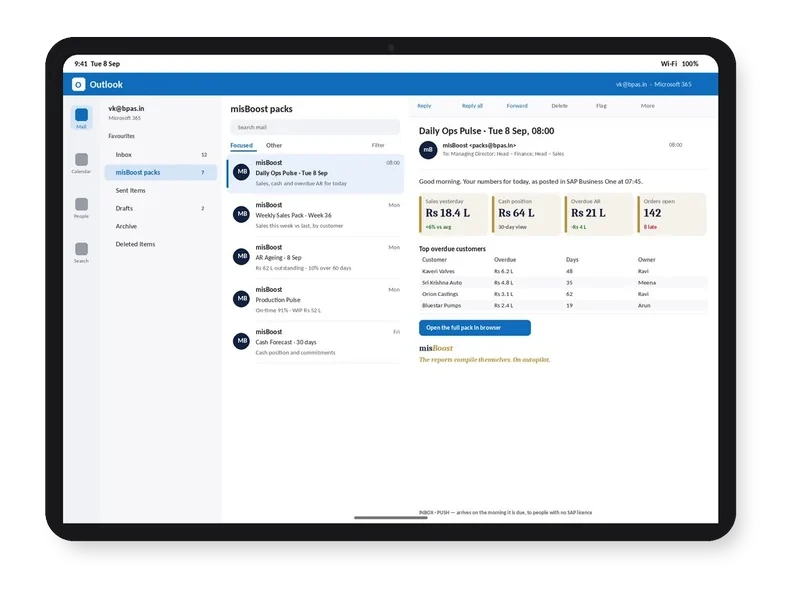
misBoost morning pack arriving in Outlook on a tablet, headline numbers in the email itself
Email
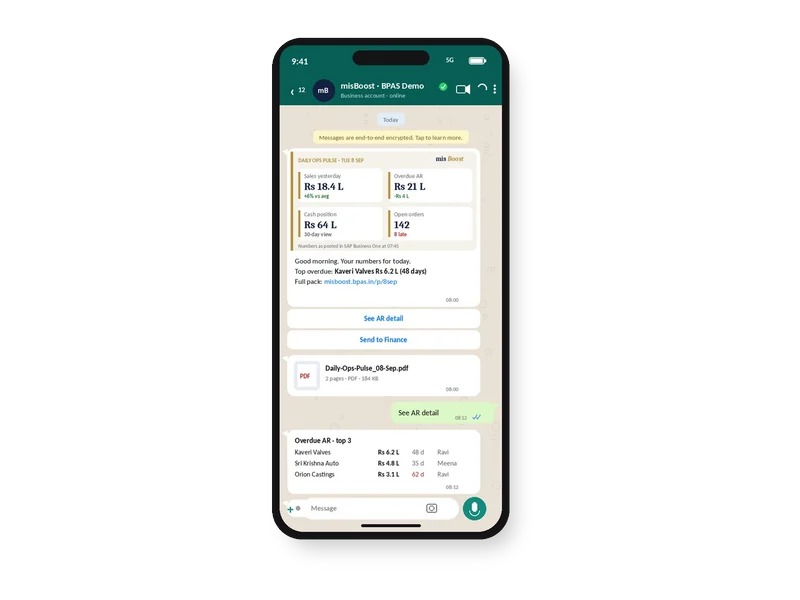
misBoost pack on WhatsApp on a phone, headline numbers with the PDF attached
WhatsApp
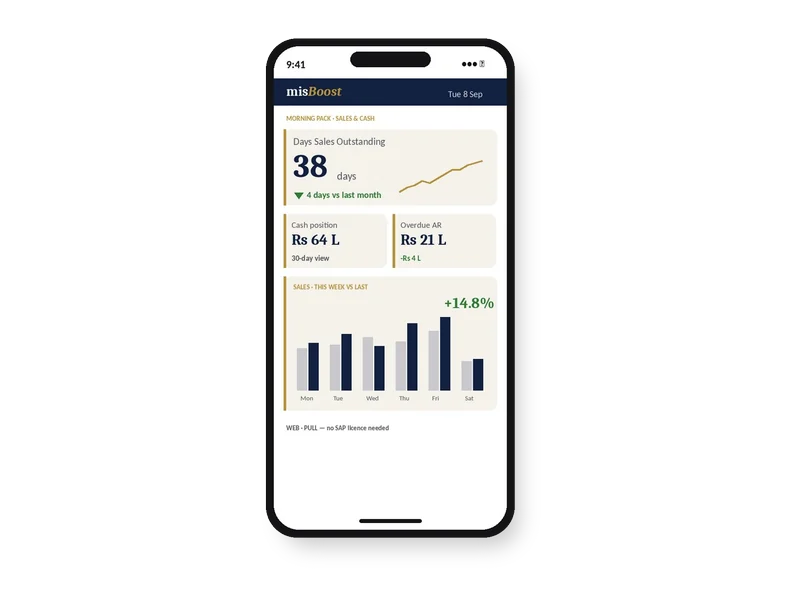
misBoost KPIs and dashboards on a phone, as a published page with no app
Mobile
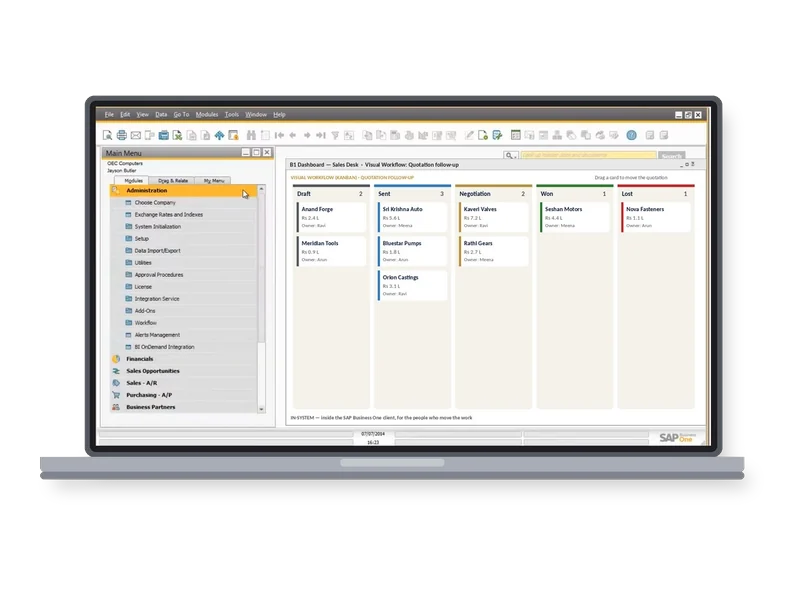
misBoost Visual Workflow board inside the SAP Business One client on a laptop
Inside SAP
Explore misBoost →
235 boosters in ten domains Sent on autopilot
BPAS proprietary

proBoost

BPAS Custom Libraries for SAP Business One

The second ViSA line alongside the seven services: pre-built libraries that configure straight into SAP Business One, one tuned to each set-up. You choose the boosters your plant needs.

  • 313proBoostSAP Business One
  • 409mfgBoostSAP Business One + Beas
  • 409wmsBoostSAP Business One + Produmex
  • 529scmBoostSAP Business One + Beas + Produmex
Explore proBoost →
4 libraries Boosters chosen by you, not bundled
How it starts

The readiness gate, on your item master. Before anyone forecasts anything.

You get the forecastability triage: which of your items a model can genuinely help, which should stay on a min/max rule, how much cash is sitting in items that will never move again, and which of the 17 services your data can support today.

In a BPAS gap review you get a short list of what is costing your plant dates and money today, and the order to fix it in.

Fix the process. Then feed the model.

Learn with BPAS

Not ready to talk yet? See what’s real today.

  • Webinar · Session 11 · For owners, CXOs and plant heads
    Third Thursday of every month

    AI for SMEs: what’s real today

    smartStep webinars · Session 11

    The session on smartStep step 08, Predict, the step aiEnable delivers. It stands on its own, like every session in the series.

    Format
    40 minutes: a 30-minute session and 10 minutes of live Q&A · free, online
    See session 11 →
  • Newsletter · For your power users

    For the internal champions and power users

    One SAP Business One practice, one Boyum practice, a ten-minute quick win and stories from factories like yours, for the people who keep the system healthy.

    How often
    Third Wednesday of every month
    Format
    Practices you can apply in ten minutes
    Subscribe →
Sister company of BPAS

No ERP yet? Start with MEIS

For SME manufacturers putting in their first ERP, MEIS implements SAP Business One.

Live in weeks, not months.

Visit meis.in (opens in a new tab)
  1. Still on spreadsheetsNo ERP yet
  2. MEIS implements SAP Business OneYour manufacturing ERP, live
  3. Add the Boyum Solutions
    • Beas Manufacturing
    • B1UP
    • B1 Print & Delivery
    • Produmex WMS
    • Produmex Scan
    • Perfion PIM
  4. Choose your ViSA servicesSeven services, from gapScan to aiEnable

ViSA implements, customises and supports the Boyum Solutions on top of your SAP Business One, with SAP Business One certified consultants doing the work.