BPAS

aiEnable · Domain 01

Sales Intelligence Score it, defend it, draft it

AI for the SAP Business One sales cycle, for SME manufacturers: 20 services in three stages, each answer written back into a field, a document or an activity.

Exclusive Boyum Practice. India’s No.1 Customer-referred Boyum IT Partner.

The six aiEnable domains, with Sales Intelligence lit: 4 services at Basic, 12 at Essential, 20 at ProfessionalDomain 01: Sales Intelligence, this page01Domain 02: Agentic Procurement02Domain 03: Smart Inventory03Domain 04: Intelligent Production04Domain 05: Hyper-efficient Warehouse05Domain 06: Strategic Finance06DOMAIN 0120SERVICES
  • Basic 4
  • Essential 12
  • Professional 20
Is Sales Intelligence right for you?

Three sales desks. Where the money leaks.

Most SME sales desks run on the same three things: a quote sent on gut feel, a follow-up that depends on who remembers, and a discount nobody can justify afterwards.

Situation 01

High quote volume, low win rate

Today
You send far more quotations than you convert, and nobody can say which ones deserved the effort.
What changes
A win probability on every open quotation, so the pipeline sorts itself and the effort goes where the odds are.
See the 20 services (on this page)
Situation 02

Margin that leaks at the discount

Today
Every rep discounts, none of them the same way, and the damage only shows at month-end.
What changes
A suggested floor price on every line; a discount below it goes to an approver instead of straight onto the order.
See the 20 services (on this page)
Situation 03

Repeat orders arriving by email

Today
Customer orders land as PDFs and someone retypes them into SAP Business One.
What changes
The order is read into a draft sales order, with the exceptions routed to a person. No document posts on its own.
See the 20 services (on this page)
Three stages

Basic, Essential, Professional. Each one contains the last.

Every higher stage includes everything below it, then adds more services and more authority. The difference is not how clever the model is. It is who decides.

Stage 01

Basic

AI assists, you decide

4 services. Language and extraction only: nothing is scored, nothing is posted.

Stage 02

Essential

AI predicts, you decide

12 services. Adds Score & Predict and Recommend & Guard: win probability, churn risk and a price floor, written back where they are used.

Stage 03

Professional

AI acts, you approve

20 services. Adds eight agents that draft or propose, for a person to release.

Services per capability set at each stage of Sales Intelligence
Capability setBasicEssentialProfessional
Ask & Explain111
Capture & Extract222
Draft & Compose111
Score & PredictNone55
Recommend & GuardNone33
Agents (draft and propose)NoneNone8
Services in the stage41220
The services

All 20 services. Not one of them a rule.

Each service produces a prediction, a draft or a proposal that a fixed rule could not, and each one has a named place where its answer lands. Choose a stage to see what it includes.

Sales Intelligence Basic

AI assists, you decide · 4 services
  • Ask & Explain

    B1: Ask your sales data

    Plain-English questions over quotations, orders and invoices, such as “which customers bought less this quarter than last?”, answered without anyone writing a query, and shown on screen in SAP Business One.

    You decideLands in: SAP Business One
  • Capture & Extract

    B2: Enquiry-to-activity capture

    An enquiry arrives by email. The item, quantity and required date are read and matched against the item master, and an activity is logged against the right business partner, ready for a person to act on.

    You decideLands in: SAP Business One
  • Capture & Extract

    B3: Customer order capture

    A customer order in PDF becomes a draft sales order, with uncertain lines marked for a person to check. No document posts on its own.

    You decideLands in: SAP Business One
  • Draft & Compose

    B4: Quotation cover note drafting

    The covering email is drafted from the actual quotation, with the items, the lead time and the terms, in your house voice. A person reads it and sends it.

    You decideLands in: SAP Business One

Sales Intelligence Essential

AI predicts, you decide · 8 services added

Includes the 4 Basic services, and adds these 8.

  • Score & Predict

    E1: Win probability on every open quotation

    A score written onto the quotation, so the pipeline sorts itself. Learned from your own won and lost history, which means the lost history has to exist.

    You decideLands in: SAP Business One
  • Score & Predict

    E2: Churn signal

    The customer whose buying has quietly dropped off is flagged on the business partner while there is still time to ring them.

    You decideLands in: SAP Business One
  • Score & Predict

    E3: Expected close date

    Not the date the rep typed in: a predicted close date from how long deals of this shape, size and customer actually take, so the pipeline report becomes a forecast someone can plan against.

    You decideLands in: SAP Business One
  • Score & Predict

    E4: Predicted payment behaviour

    The likelihood that this invoice, to this customer, at this value, will be paid late, shown at the moment of quoting and shared with Strategic Finance.

    You decideLands in: SAP Business One
  • Score & Predict

    E5: Sales forecast by customer and item

    A rolling forecast with seasonality, made where the demand starts. It feeds Smart Inventory and, through it, planning in Beas Manufacturing, so sales stops being a surprise to the shop floor.

    You decideLands in: SAP Business OneBeas Manufacturing
  • Recommend & Guard

    E6: Next-best item on the order

    Suggestions shown as the line is entered: what customers like this one buy alongside this item. Suggested, never inserted. The salesperson stays the author of the order.

    You decideLands in: SAP Business One
  • Recommend & Guard

    E7: Price guidance and a margin floor

    A suggested floor price on every line. A discount below it goes to an approver.

    You decideLands in: SAP Business One
  • Recommend & Guard

    E8: Demand-aware quote validity

    A validity period suggested from the real stock position and lead-time swings, including planned production and warehouse availability, instead of a flat thirty days that was never true.

    You decideLands in: SAP Business OneBeas ManufacturingProdumex WMS

Sales Intelligence Professional

AI acts, you approve · 8 services added

Includes the 12 Basic and Essential services, and adds these 8 agents. Every agent drafts or proposes; a person approves.

  • Agents (draft and propose)

    P1: RFQ-to-quote agent

    Reads the sales mailbox, checks availability against stock and planned orders, prices the request against the price guidance and drafts the quotation. Then it stops and waits for a person to release it.

    You approveLands in: SAP Business OneBeas Manufacturing
  • Agents (draft and propose)

    P2: Order-entry agent

    Customer order email in, draft sales order out, with price mismatches, orders a person must clear and short stock routed to a person instead of guessed at.

    You approveLands in: SAP Business One
  • Agents (draft and propose)

    P3: Follow-up agent

    Works the open quotations and drafts the chaser in the right tone for each customer, for the account owner to send. Each one is logged as an activity, and any reply that matters goes straight to a person.

    You approveLands in: SAP Business One
  • Agents (draft and propose)

    P4: Deal-desk agent

    A non-standard deal arrives. The agent puts together the approval pack: margin against floor, what the customer already owes, stock and the delivery date the plant can actually hit, so the approver sees one page instead of four screens.

    You approveLands in: SAP Business One
  • Agents (draft and propose)

    P5: Pricing agent

    Proposes price-list changes, item by item. It never edits a price list itself: it puts a costed recommendation in front of the person who owns the prices.

    You approveLands in: SAP Business One
  • Agents (draft and propose)

    P6: Win-back agent

    Takes the at-risk customers from the churn signal, works out what each account stopped buying, and drafts the win-back (an offer, a call brief or an apology) for the account owner to send or bin.

    You approveLands in: SAP Business One
  • Agents (draft and propose)

    P7: Cross-sell campaign agent

    Groups customers by what they buy together, drafts the offer for each group and the follow-up activities, for the sales manager to approve. Marketing that comes out of the ERP, not out of a spreadsheet.

    You approveLands in: SAP Business One
  • Agents (draft and propose)

    P8: Pipeline exception agent

    Looks for the things nobody has time to look for: quotations that stalled, discount drift by rep, orders promised beyond what the plant can make. One exception list on the sales manager’s screen.

    You approveLands in: SAP Business One
Where the answer lands

On the screen, not in a portal.

A forecast in a separate application is a forecast nobody acts on. Every Sales Intelligence answer has a named home inside SAP Business One.

  • Sales quotation

    Win probability, price floor, expected close

    Visible the moment the document opens.

  • Business partner

    Churn flag, payment behaviour

    On the screen people already use. No new tab to remember, no second login.

  • Sales order

    Next-best item, margin floor

    Suggested as the line is entered; a discount below the floor goes to an approver.

  • Activities and drafts

    Every agent action, logged

    Agent work is logged as activities. Agent documents become drafts. People decide the rest.

What it needs from you

The one thing most sales desks cannot supply.

Sales Intelligence needs less data than most, and one hard prerequisite.

Read this before Essential

You cannot score a win without a recorded loss.

Win probability learns from outcomes: which quotations converted, which did not, and why. Most SME sales desks record the wins well and let the losses evaporate. The quotation stays open until somebody closes it in a clear-out, with no reason and no date. If that history does not exist, we say so at the readiness gate.

  • Quotations, orders and invoices with real dates

    Won and lost. Basic works with what exists; Essential cannot run without it.

  • An item master a model can trust

    One item is one item, with real units of measure and real categories. If the items are duplicated, what customers buy together is noise.

  • Price and discount history that reconciles

    List price, discount given and realised margin per line. If discounts live in a spreadsheet, the margin floor has nothing to stand on.

  • A sales manager who will act on a score

    The model is arguing with a salesperson’s instinct. It needs a named owner who backs it in public, on the first disagreement.

Adoption

A salesperson will not be told what to do by software.

A model is arguing with a salesperson’s instinct. The argument is built into the design.

  • The score explains itself

    Every win probability comes with the factors that drove it. A rep who can see why a deal is rated at 30% can argue with it, and a model you can argue with is a model people use.

    ADKAR®: Knowledge · Ability

  • The model is scored too

    The sales team sees how accurate the model is against actual outcomes, and can say when their own judgement does better.

    ADKAR®: Awareness · Desire

  • Nothing is taken away

    No service in this domain removes a salesperson’s authority. The agent drafts; a person releases. A discount below the floor goes for approval; it does not silently cancel the deal.

    ADKAR®: Reinforcement

The six domains

Sales Intelligence is one of six. They share their data.

The forecast built here feeds Smart Inventory and planning in Beas Manufacturing. The payment signal is shared with Strategic Finance. One domain works on its own; two make each other better.

aiEnable stands on the other ViSA services. If the process has not been drawn, that is procEnact; if the Boyum Solutions are not deployed, toolDeploy; and if you do not yet know what the gap costs you, gapScan.

BPAS proprietary

misBoost

A management layer for SAP Business One

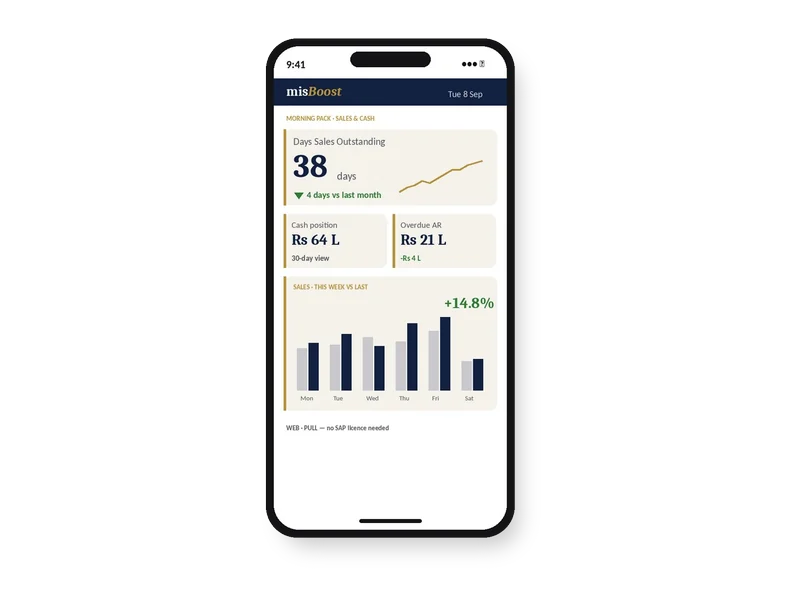
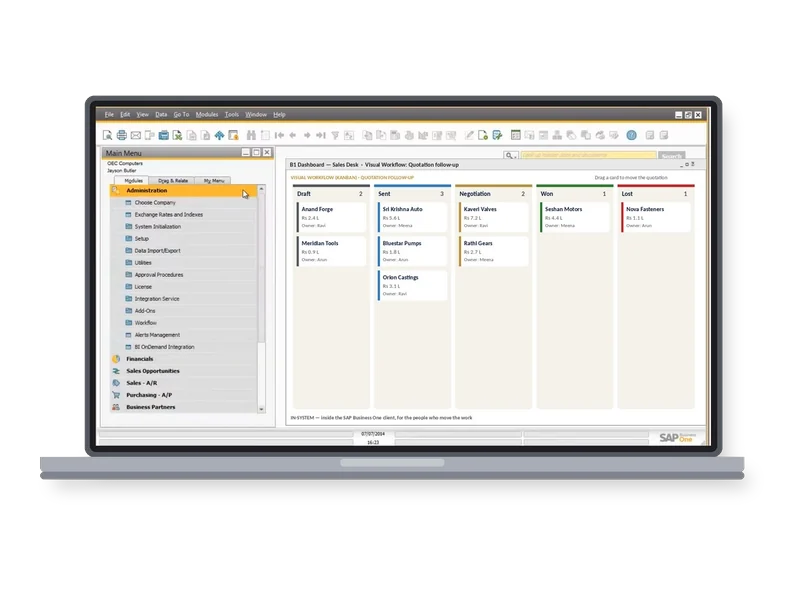
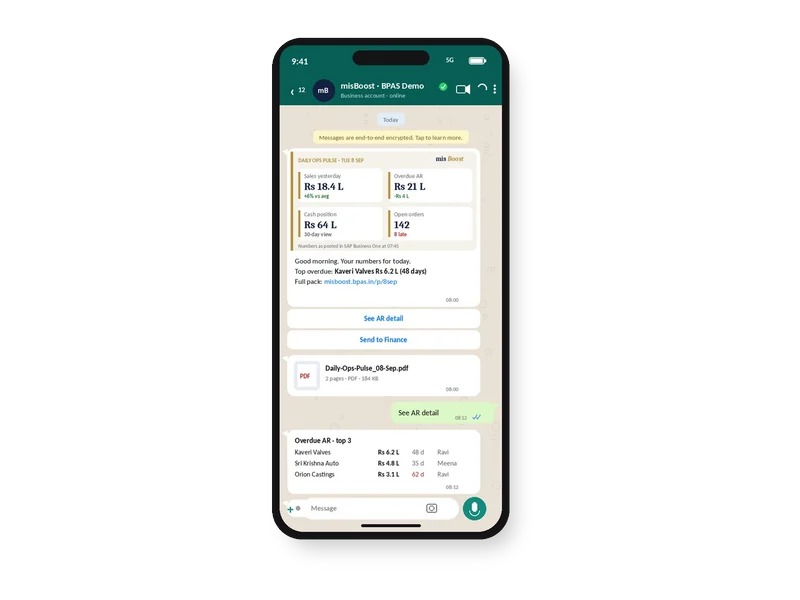
235 boosters in ten domains. The packs build themselves from your SAP Business One data and arrive on their own, so nobody prepares or sends them. They can start on any SAP Business One plant from week one.
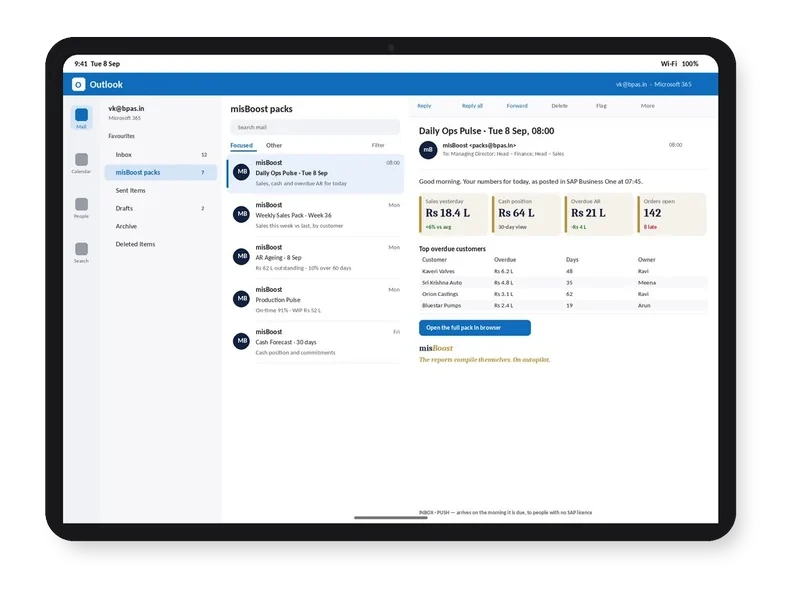
misBoost morning pack arriving in Outlook on a tablet, headline numbers in the email itself
Email
misBoost pack on WhatsApp on a phone, headline numbers with the PDF attached
WhatsApp
misBoost KPIs and dashboards on a phone, as a published page with no app
Mobile
misBoost Visual Workflow board inside the SAP Business One client on a laptop
Inside SAP
Explore misBoost →
235 boosters in ten domains Sent on autopilot
BPAS proprietary

proBoost

BPAS Custom Libraries for SAP Business One

The second ViSA line alongside the seven services: pre-built libraries that configure straight into SAP Business One, one tuned to each set-up. You choose the boosters your plant needs.

  • 313proBoostSAP Business One
  • 409mfgBoostSAP Business One + Beas
  • 409wmsBoostSAP Business One + Produmex
  • 529scmBoostSAP Business One + Beas + Produmex
Explore proBoost →
4 libraries Boosters chosen by you, not bundled
How it starts

The readiness gate, on your sales data. Before anyone builds anything.

You get to know which of the 20 services your data can support today, and what to record now so that it can support the rest later.

In a BPAS gap review you get a short list of what is costing your plant dates and money today, and the order to fix it in.

Fix the process. Then feed the model.

Learn with BPAS

Not ready to talk yet? See what’s real today.

  • Webinar · Session 11 · For owners, CXOs and plant heads
    Third Thursday of every month

    AI for SMEs: what’s real today

    smartStep webinars · Session 11

    The session on smartStep step 08, Predict, the step aiEnable delivers. It stands on its own, like every session in the series.

    Format
    40 minutes: a 30-minute session and 10 minutes of live Q&A · free, online
    See session 11 →
  • Newsletter · For your power users

    For the internal champions and power users

    One SAP Business One practice, one Boyum practice, a ten-minute quick win and stories from factories like yours, for the people who keep the system healthy.

    How often
    Third Wednesday of every month
    Format
    Practices you can apply in ten minutes
    Subscribe →
Sister company of BPAS

No ERP yet? Start with MEIS

For SME manufacturers putting in their first ERP, MEIS implements SAP Business One.

Live in weeks, not months.

Visit meis.in (opens in a new tab)
  1. Still on spreadsheetsNo ERP yet
  2. MEIS implements SAP Business OneYour manufacturing ERP, live
  3. Add the Boyum Solutions
    • Beas Manufacturing
    • B1UP
    • B1 Print & Delivery
    • Produmex WMS
    • Produmex Scan
    • Perfion PIM
  4. Choose your ViSA servicesSeven services, from gapScan to aiEnable

ViSA implements, customises and supports the Boyum Solutions on top of your SAP Business One, with SAP Business One certified consultants doing the work.